Linked Tasks and Local Memory
Link completed conversations when you want to compare their findings, reconcile contradictions, or prepare a new joint question. A link preserves evidence from selected tasks; it does not pool datasets or authorize another analysis.
Select, link, and ask
- Beside New chat, click the small Select button. Checkboxes appear on task rows.
- Select two or more tasks. The control becomes a chain icon. The small × cancels selection. Running tasks are temporarily unavailable for linking.
- Click the chain. The workspace opens a new Linked tasks conversation and clears selection. Progress appears through the normal conversation status messages.
- The agent reads each selected task's context and result inventory, writes a separate handoff, then writes a combined memory. It announces readiness only after those files are saved. If preparation fails or is interrupted, ask it to continue; already saved work is retained.
- Ask a combined question. Small source-task buttons below the conversation heading reopen the original tasks. A source in Trash is unavailable until restored.
Up to 32 tasks can be linked at once. For larger projects, an earlier synthesis can be included in another link. Nested syntheses are not independent evidence.
Real example: two GSE174302 QC tasks
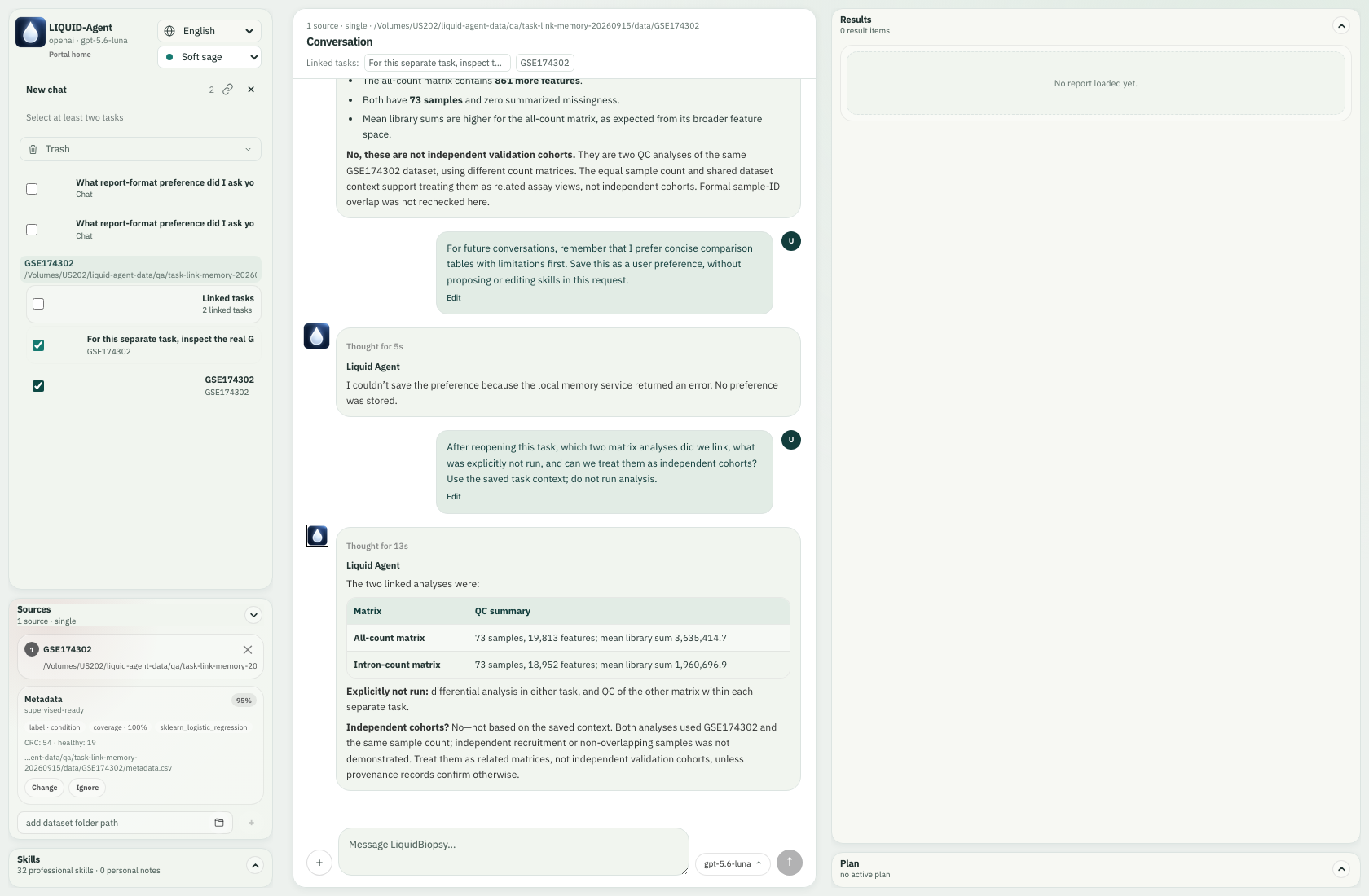
The real API-backed example used separate intron-count and all-count tasks from the same GSE174302 cohort (54 colorectal-cancer and 19 healthy samples). Each task ran only its requested matrix QC. The combined question was:
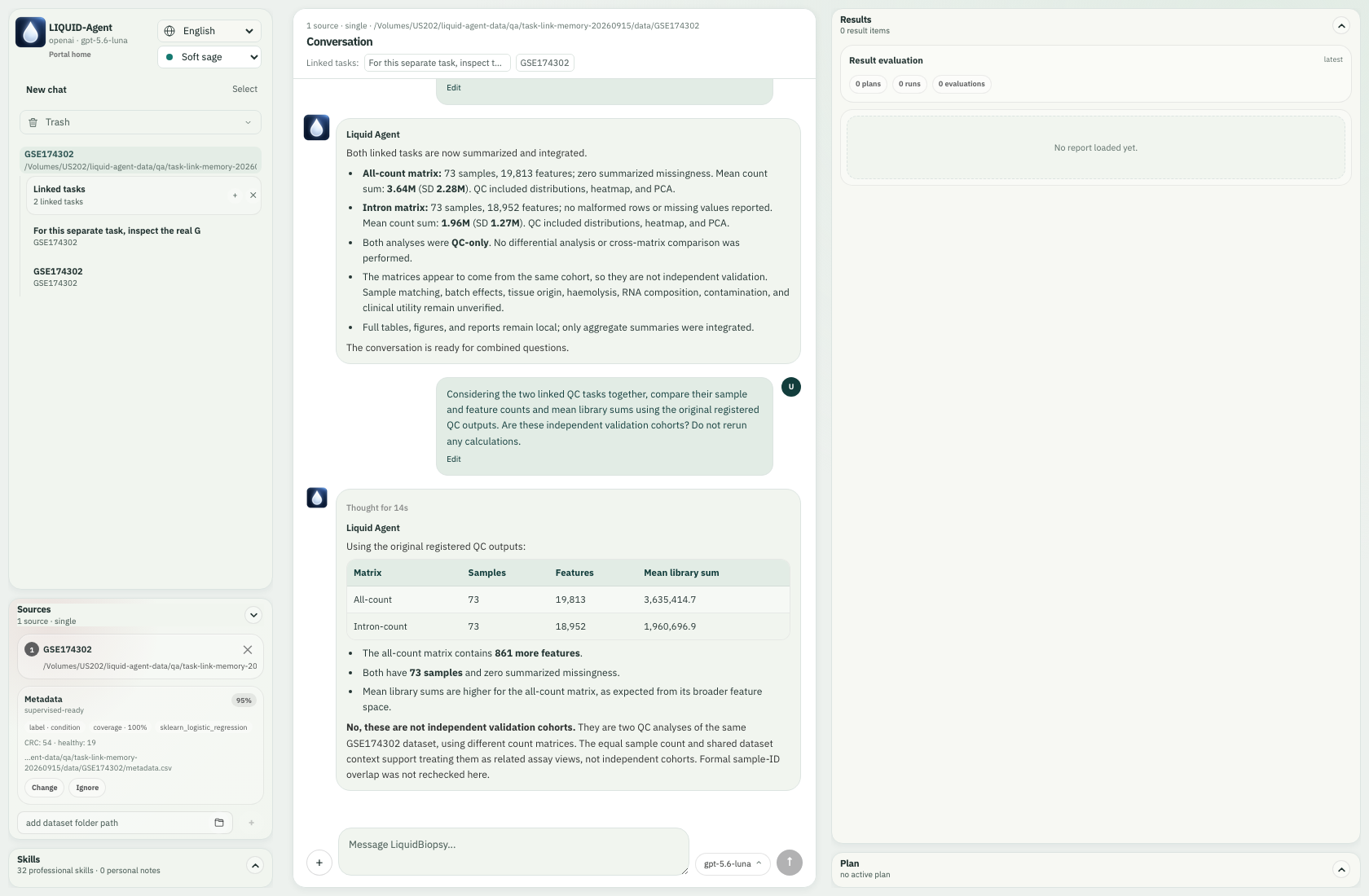
Considering the two linked QC tasks together, compare their sample and feature counts and mean library sums using the original registered QC outputs. Are these independent validation cohorts? Do not rerun any calculations.
The agent used read_linked_result to inspect original numeric QC summaries.
It reported 73 samples in each matrix, 19,813 versus 18,952 features, and mean
library sums of approximately 3,635,414.7 versus 1,960,696.9. It correctly kept
these as two views of the same cohort, not independent validation. No QC or
differential analysis was rerun for the combined question.
Result references remain tied to their source task and capture time. If an original result changes or disappears, the read fails explicitly rather than silently substituting another file. Handoffs remain available after a source is deleted, but they do not make missing numerical results available. Creating a fresh link captures later task updates.
New computations still require a user request and suitable installed tools. Source datasets are attached to the new task when available; its generated outputs are separate. Prior outputs are not automatically copied into the new analysis workspace, and linking does not make every cross-study computation supported. The agent must inspect prerequisites and explain any unsupported comparison instead of rerunning prerequisites without permission.
Linked conversations use the same Results panel as ordinary tasks. Brief results, clarifications and the initial ready message can stay in chat. The agent judges whether length, complexity, visual material or lasting summary value warrant a report in Results, using the same standard for ordinary and linked tasks. There is no rigid word threshold or mandatory report for every comparison. Explicit report requests are honored; published reports have a short chat summary. New supported analyses register their tables and figures normally. A report based on verified parent aggregates does not require rerunning those analyses; parent figures are not automatically copied or embedded. An empty Results panel after initial linking means no new report has been published yet, not that linked tasks cannot produce results.
Two different kinds of memory
Context compaction and handoffs
The GPT runtime's automatic context compaction and a task handoff serve different purposes. Compaction keeps a conversation within the model's context budget; handoffs preserve source-specific evidence for another task. There is no exposed force-compaction tool for the skills to call.
The existing memory tools support proactive consolidation: read one source's paged context and inventory, reconcile its saved summary with corrections, retrieve relevant older checkpoints, and save its concise JSON/Markdown handoff before processing the next source. Synthesis uses these saved handoffs instead of concatenating every full transcript. Long work can save provisional progress and resume after interruption or automatic compaction. A provisional summary does not mark the link ready. Summaries are not lossless; result references, constraints, uncertainty and unfinished work must survive, and numerical claims can still require reading original results. No additional compression skill is needed.
| Memory | Content | Default location |
|---|---|---|
| User | Explicit background, expertise, language, reporting and workflow preferences, with a quote of the user's instruction | Installation-selected personal-information directory: memory/preferences.sqlite3 |
| Task | Goals, findings, decisions, corrections, completed/failed work, limitations, unresolved questions, safe context checkpoints, compact events and linked handoffs | Task-owned generated-data folder: memory/<creation-timestamp>/ |
The user-memory directory follows the personal-information storage location the
user selects during installation. It is separate from research dataset paths and
from the code installation, so attaching a data disk or upgrading Python/npm does
not redirect or overwrite it. Older installations without an explicit selected
location retain their normal per-user application configuration directory on
macOS, Windows or Linux. LIQUID_AGENT_USER_MEMORY_ROOT explicitly overrides
this location for managed or customized deployments. This directory is excluded
from Git and package data.
Task folders use the existing conversation-owned output root, normally on the
configured data disk under .liquid-agent/conversations/<task-hash>/. They are
separate from raw input datasets, including when several tasks share one dataset
or a task has no dataset. The timestamp is the task's creation time, so resuming
it does not create a different memory folder. memory.json holds structured
state; memory.md is the readable LLM summary. checkpoints/ retains safe earlier
context beyond the provider's rolling window. events/ retains compact state changes
and tool facts, never hidden reasoning. A linked task also has links.json
and individual JSON/Markdown files under handoffs/.
Task state is checkpointed locally after turns; the LLM maintains the concise summary after meaningful decisions or findings. Older tasks are backfilled from retained runtime state when linked or next used. History already lost before this upgrade cannot be reconstructed. Memory is fallible context, not a new instruction hierarchy: current user instructions take precedence over stored preferences or old task instructions.
For example:
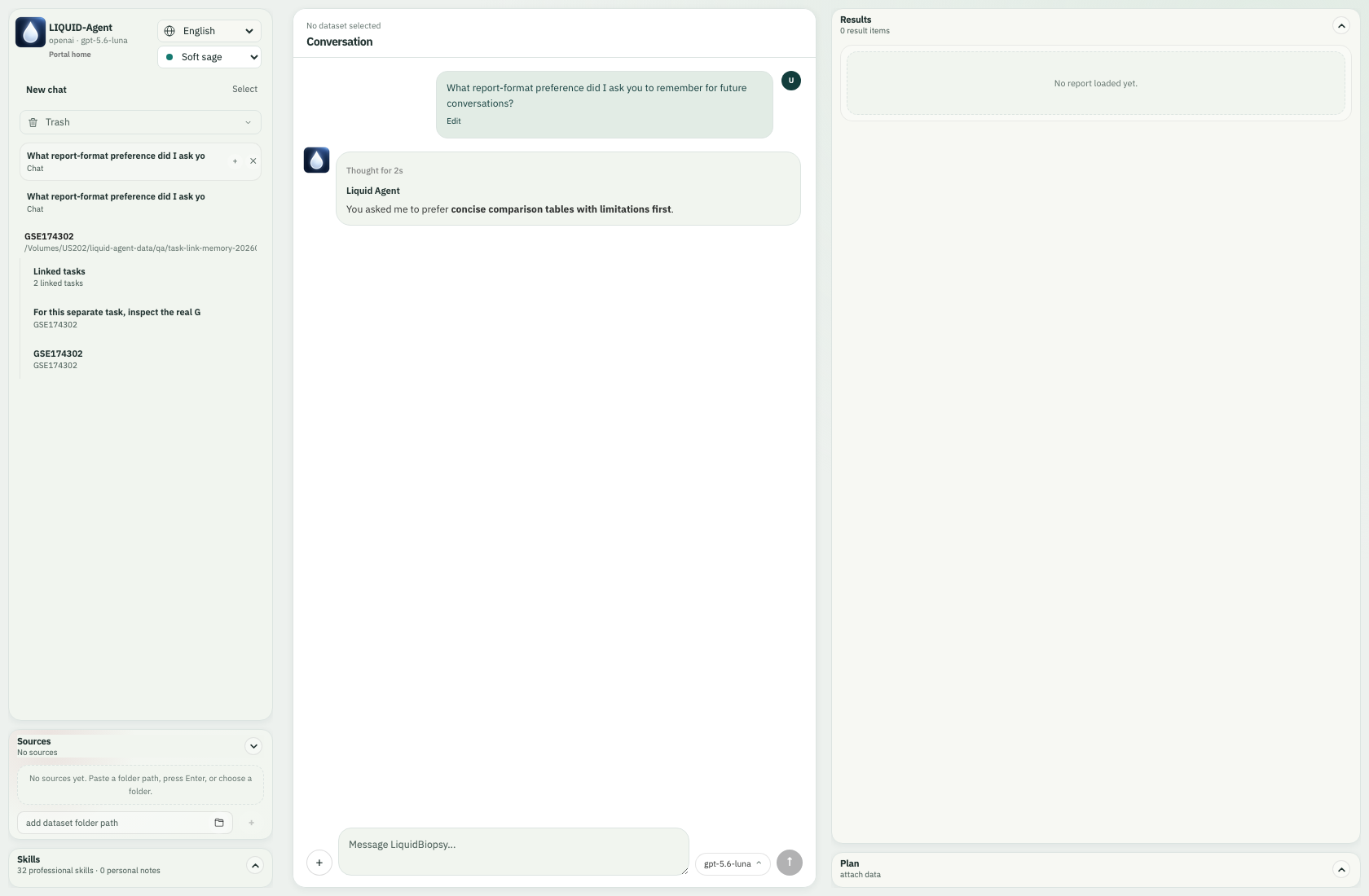
For future conversations, remember that I prefer concise comparison tables with limitations first. Save this as a user preference, without proposing or editing skills in this request.
A new conversation can retrieve this preference. “For this report only” belongs in task memory instead. The memory curator reuses the same stable key when the user says a preference or background has changed, retaining the old revision as superseded. Adaptive habits can expire; after their source task is permanently deleted they become orphaned and fade on an accelerated schedule. Explicit durable preferences survive deletion until corrected or forgotten. User memory does not store datasets, patient records, API keys or inferred sensitive attributes. Remembering a preference does not silently accept a proposed skill modification; skill changes retain their separate accept/refuse workflow. This maintenance is deliberately unobtrusive and does not add a separate memory-management panel.
The curator saves a safe statement when the user explicitly asks, or when the user's own words clearly describe stable, cross-task context that will change a future interaction. One-off, inferred and dataset-specific details remain in the task. Unconfirmed adaptive memories lose retrieval weight gradually before final expiry. At meaningful task boundaries, related context is consolidated in time bands: recent items remain precise, older items become monthly, quarterly and eventually yearly semantic summaries. Active durable preferences remain exact, and conflicting contexts are never flattened into a false compromise.
Trash, restore and permanent deletion
- Moving a task to Trash moves its entire owned output tree, including memory, intermediate files and handoffs. Restore puts it back at its original location.
- Permanent deletion removes that task's memory, generated files and private runtime history. Original datasets and other tasks remain intact.
- A linked task owns its independent handoff snapshot. Deleting a parent does not erase this separately created snapshot; delete the linked task as well if you want its copy removed. It cannot read a trashed or permanently deleted parent's result files. Adaptive user habits supported only by a purged task gradually expire; explicit durable user preferences remain until corrected or forgotten.
No additional database service is required. User preferences use embedded SQLite; task ownership, plans, results and memory continue to use the existing task index, atomic files and runtime checkpoints, avoiding competing deletion indexes.
CLI and skills
In liquid-agent cli, use /conversations to list active task IDs, then
/link <task-id> <task-id> [...]. The CLI opens a new synthesis context through the
same controller and tools. /memory displays the current task summary and the
local memory locations. You can also ask to remember, recall or forget a durable
preference in ordinary language.
Four maintained skills support this workflow:
memory-curation: multi-level scope, updates, conflicts and natural ageing.task-handoff: source-specific context, evidence and unfinished work.linked-task-synthesis: integrated interpretation, disagreements and scope.task-memory: ongoing task state and explicit reusable user preferences.